Edit Lookups
To edit a lookup in Data Sync you need to select the linking column in the Data Source window and click the Add Lookup button on the Data Source toolbar.
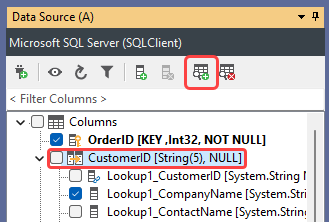
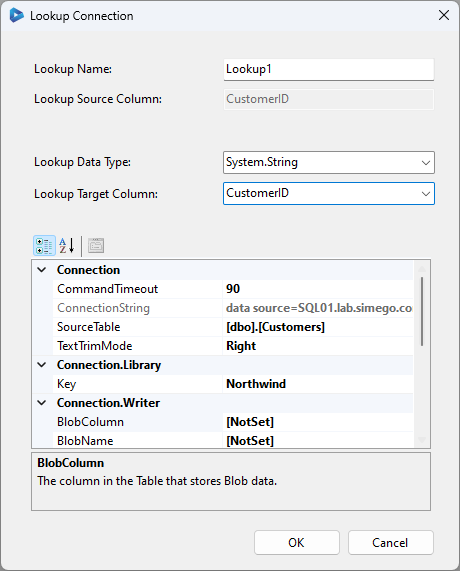
In the Lookup Connection window, make the necessary changes. For example changing the target column from the dropdown. Then click OK to apply the changes.
Updating Passwords
If you need to update the password for a connection that hasn't been added to the connection library, you will need to delete and recreate the lookup. We recommend using the connection library to avoid this inconvenience.
If you have used the connection library, you can simply update the connection file and the changes will automatically apply to all projects and lookups that use that connection. You can find the details on editing a connection library connection here.
Once you have updated the connection file, all lookups and projects that use that connection will automatically use the updated details. You do not need to manually update each lookup or project that uses that connection.
In summary, using the connection library is a good practice when working with lookups in Data Sync. It allows you to easily update connection details for all your projects and lookups from a central location.