PowerShell
A newer PowerShell 2 step is now available and is the recommended option for running PowerShell scripts in Ouvvi. It runs as a separate process outside of the Ouvvi service delivering better overall performance. It also includes additional configuration options not available in this step. See the PowerShell 2 documentation for more details.
Runs a PowerShell script. You can either run the script in a PowerShell file, run PowerShell script written in the UI or run a combination of the script and script found in a PowerShell file.
To create this step select PowerShell from the list and start by entering a name for the step.
Then you can enter the PowerShell to be run into the PowerShell Script textbox. Alternatively you can enter the path to the powershell file that contains script you want to run.
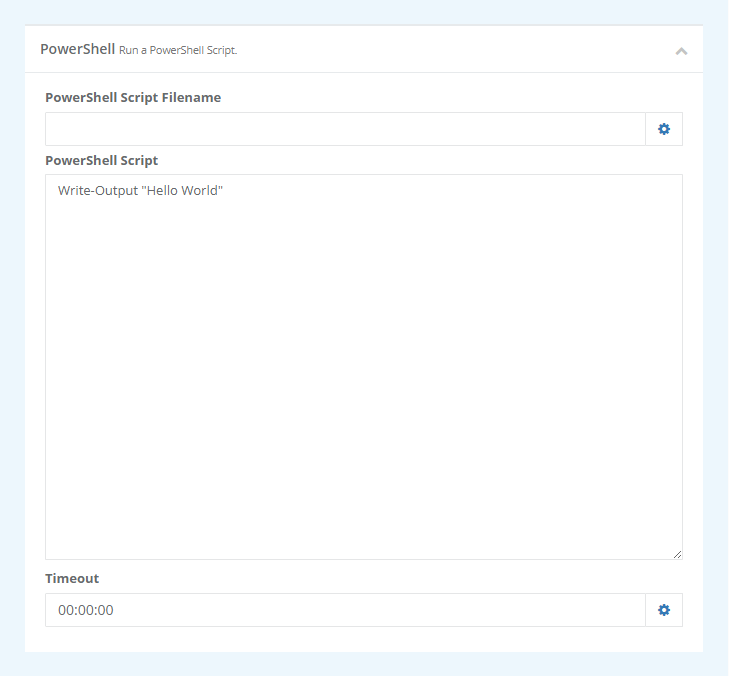
| Parameter | Description |
|---|---|
| PowerShell Script Filename | The name of the PowerShell script file. Any script in this file is added to the script to run. |
| PowerShell Script | The PowerShell script to run. This is added to any script specified in the filename. |
| Timeout | The time it will take for the request to timeout. |